 Doc
Doc
Next.js プロジェクトは初期化時点で 298 MB もある。npm や yarn の場合プロジェクト作成ごとに 298 MB 増えるけど pnpm だとプロジェクトを跨いでパッケージを共有するのでかなりエコ。 pnpm で初期化 & プロジェクトをpnpm に縛る方法 👇🏻 pnpm.io/motivation
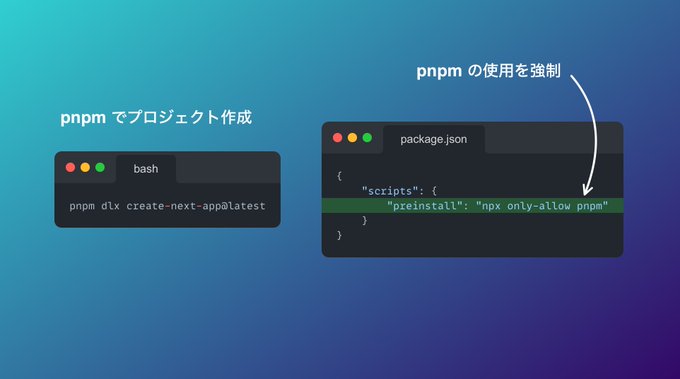
ストレージ効率が圧倒的に良いので pnpm を使う。
pnpm dlx create-next-app@latestpnpm dlx create-next-app@latest質問は/srs の質問以外 yes で回答。
✔ Would you like to use TypeScript with this project? … Yes
✔ Would you like to use ESLint with this project? … Yes
✔ Would you like to use Tailwind CSS with this project? … Yes
✔ Would you like to use `src/` directory with this project? … No
✔ Use App Router (recommended)? … Yes
✔ Would you like to customize the default import alias? … Yes
✔ Would you like to use TypeScript with this project? … Yes
✔ Would you like to use ESLint with this project? … Yes
✔ Would you like to use Tailwind CSS with this project? … Yes
✔ Would you like to use `src/` directory with this project? … No
✔ Use App Router (recommended)? … Yes
✔ Would you like to customize the default import alias? … Yes自分やメンバーがうっかり npm や yarn を使わないよう、 package.json で制限。
{
  // ...
  "scripts": {
    "preinstall": "npx only-allow pnpm"
  }
  // ...
}{
// ...
"scripts": {
"preinstall": "npx only-allow pnpm"
}
// ...
}Tailwind CSS デフォルトフォントの場合、Chrome と Safari で表示上の文字サイズが異なるため、日本語フォントを設定する。
body {
  font-family: 'Helvetica Neue', Arial, 'Hiragino Kaku Gothic ProN',
    'Hiragino Sans', Meiryo, sans-serif;
}body {
font-family: 'Helvetica Neue', Arial, 'Hiragino Kaku Gothic ProN',
'Hiragino Sans', Meiryo, sans-serif;
}以下の対応を行う
app/layout.tsx の html を lang="ja" に変更app/ ディレクトリから不要な vercel ロゴ画像などを削除Next.js プロジェクトは初期化時点で 298 MB もある。npm や yarn の場合プロジェクト作成ごとに 298 MB 増えるけど pnpm だとプロジェクトを跨いでパッケージを共有するのでかなりエコ。 pnpm で初期化 & プロジェクトをpnpm に縛る方法 👇🏻 pnpm.io/motivation